

What customers need before they decide
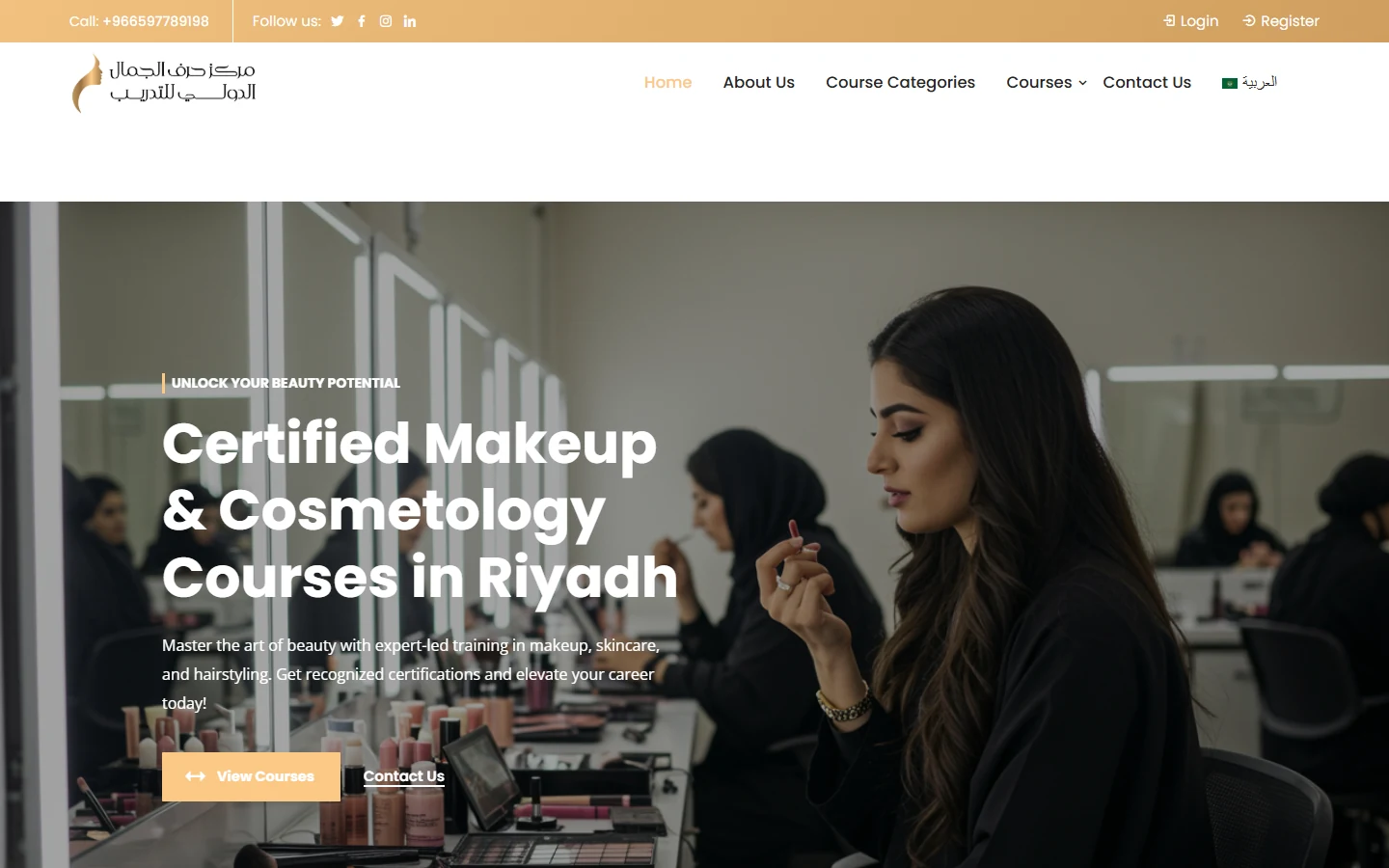
Harf Al-Jamal International Training Center offers practical courses in makeup, skincare, hairstyling, haircuts and mobile photography. The website targets people who want to enter the beauty profession or develop their skills with a certificate. It runs in Arabic and English, with a language switcher in the main menu.
Beauty training website design should help learners compare skills and understand enrollment. Course topic, level, instructor and delivery format matter before account creation. Someone seeking makeup basics needs a different route from a learner comparing specialist hair techniques or photography. We structure the catalog around those distinctions and agree how course pages connect to registration. Any certificate or accreditation statement needs confirmation from the center. An instructor or partner section provides information about the organization, but does not establish the accreditation or delivery format of every course in its catalog.
How Harf Al-Jamal organizes the journey
- Catalog: Clear categories (makeup, skincare, hair and styling, photography) and a dropdown listing courses such as curly hair techniques and photography basics.
- Course page: Course description, instructor overview and enrollment step.
- Student accounts: “Login” and “Register” links in the top bar beside the phone number.
- Instructors and partners: Sections for instructors and partners, and an invitation for instructors to join through “Teach with Us”.
The hero section starts with two buttons: “View Courses” for browsing and “Contact Us” for enquiries before enrollment.
Catalog categories separate skills, while course pages bring together descriptions, instructor information and enrollment. Account links remain available in the top bar, and LearnPress manages courses. For your center, confirm each course’s delivery format and whether it needs content access or seat booking. Test account creation and enrollment on mobile, explaining any staff review required before a learner’s registration is accepted.
Prepare your brief and work with our team
For a business in the same industry, use this checklist to define content and operations before requesting a proposal. Discuss each item with the person responsible and collect approved information in a working brief.
- Prepare course data by skill, level, instructor and actual delivery format.
- Obtain approved certificate and partner descriptions with supporting documentation.
- Define when accounts are required and how registration or seat confirmation works.
- Test browsing through enrollment, and assign course content and schedule updates.
We start with your business and the inquiry or purchase you want to receive, then define pages, content and functions in a written proposal. Our team agrees who supplies and approves the copy and images, shares work for review, and checks the mobile journey within the agreed scope. We record feedback before handover approval and explain the access or usage guidance included. Ongoing maintenance and support are discussed as part of the scope, so you can assess the deliverables and the responsibilities your business will take on after launch.
Explore our website design service, then send your project details so we can agree the scope.
Frequently asked questions
Does every training center need an LMS?
It depends on delivery. Recorded learning may need managed content and accounts, while some classroom courses can use a seat inquiry or booking form.
What should a course page explain?
Skill, level, content, instructor, delivery format and enrollment steps. Add certificate details only after the center has approved them.
How should instructor and partner sections be used?
Publish accurate, approved information and relevant destinations. Their presence should not imply accreditation that has not been confirmed for a course.
What you can take from it for a similar project
- Skill categories serve learners who start with an area they want to develop.
- Descriptions, instructors and enrollment on one course page support comparison before registration.
- Login and registration routes serve both new visitors and learners returning to an existing account.
- The actual training format determines whether content access, seat booking or other functions are needed.